Your catalog is the foundation of your billing workflow. Add your services, products, or time entries once and pull them into any proposal or invoice.
Need to import a large catalog at once? Import your catalog
Go to Billing > Catalog
Click New item
Fill in what's relevant for your item
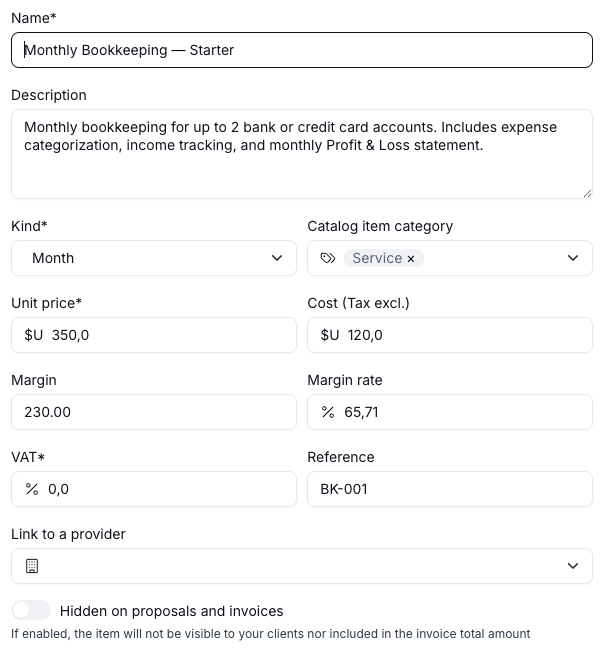
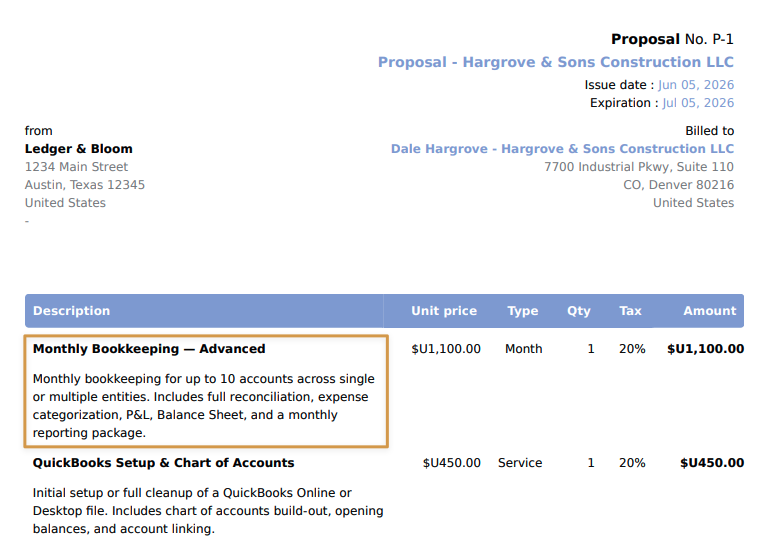
Both the name and descriptions are client-facing and show up on proposals and invoices. Write them as if you're explaining it to a client.
Choose the type that best describes what you're billing. This tells Hubflo whether you're charging for a service, a unit of time, a physical quantity, and so on, which in turn shapes how the unit price and quantity are interpreted on proposals and invoices.
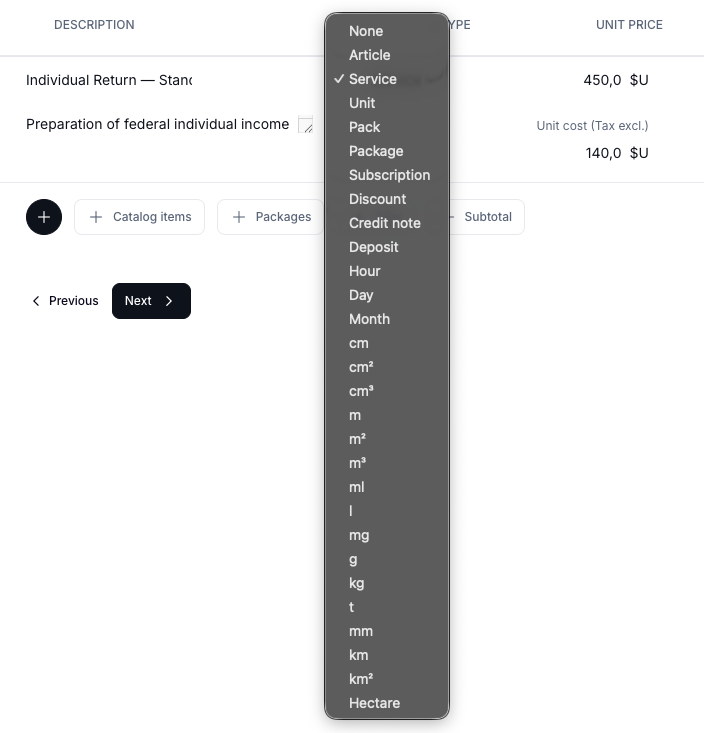
For most service businesses, you'll use Service for one-time work and Month for recurring engagements like bookkeeping retainers.
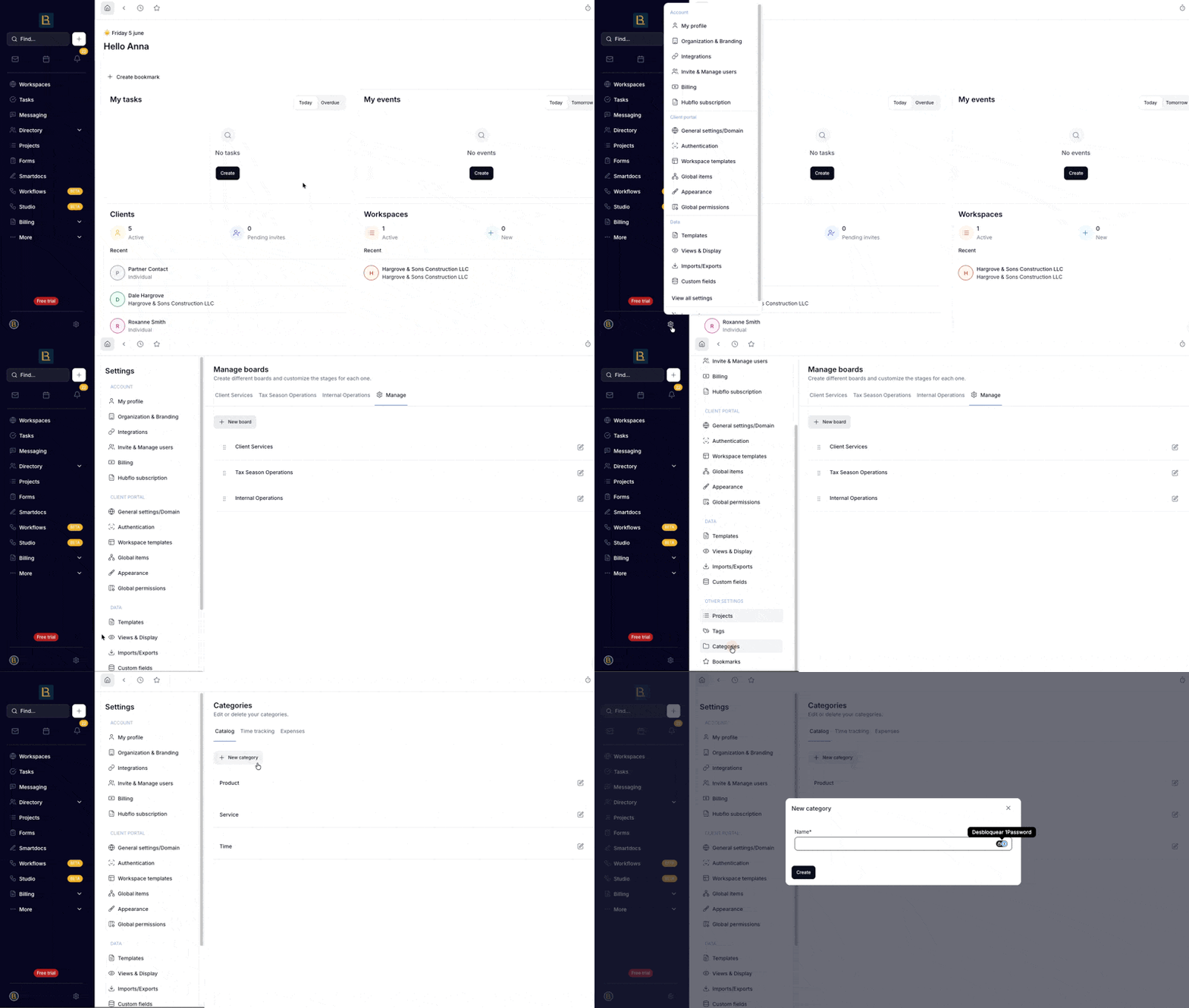
Categories help you filter and organize your catalog as it grows. If you haven't set up categories yet, you can skip this for now, but it's worth doing early.
Go to Settings > Categories > Catalog to create categories.
These three fields help you track profitability. Margin and Margin rate calculated automatically when you add a Unit price and Cost (Tax excl.).
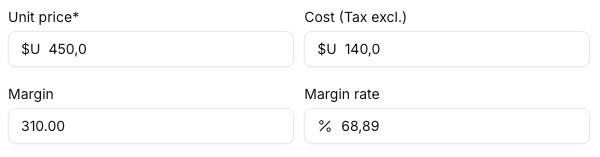
Cost and margin are internal only so your clients never see them.
An optional internal code or SKU. Useful if you use item codes in your accounting software or want to match line items across systems.
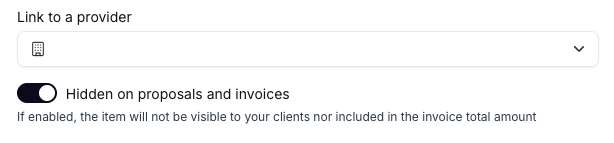
If this item is associated with a specific company in your Hubflo Directory, you can link them here.
If this is toggled on, the item won't appear on the client-facing document and won't be added to the total amount. Use it for internal items like setup fees you're absorbing, internal cost tracking, or notes you want visible in your workflow but not to the client.
Once you've added items to your catalog, you can group them together into a Pack— a predefined bundle that can be added to a proposal or invoice in one click.
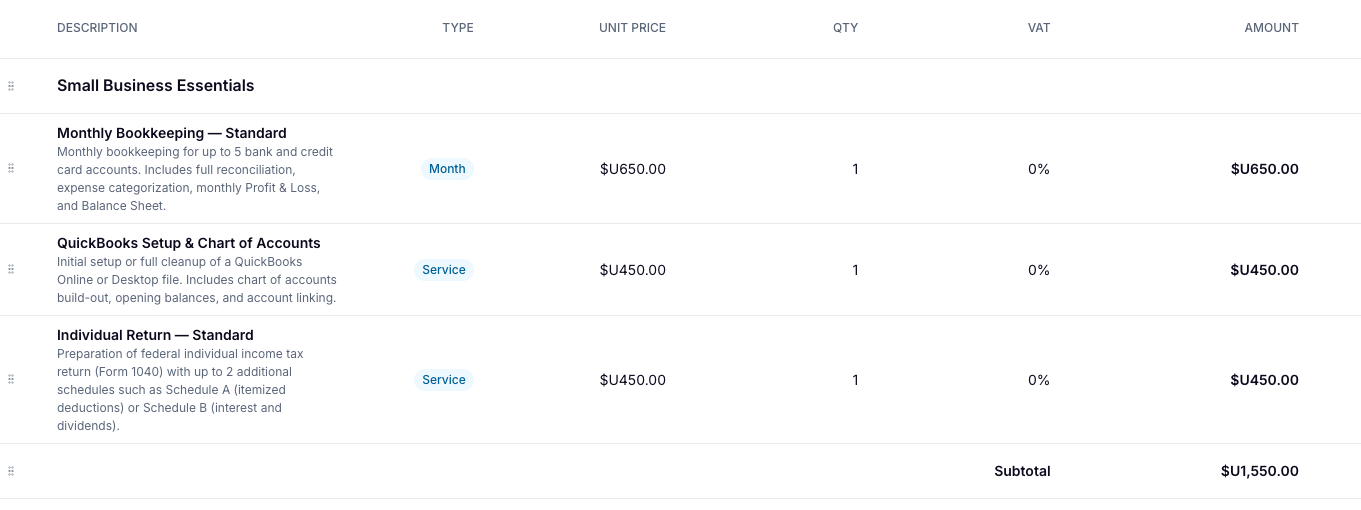
Packs are great for services you commonly sell together. Any item in your catalog can be added to a pack. You set the quantities, and the pack handles the rest.