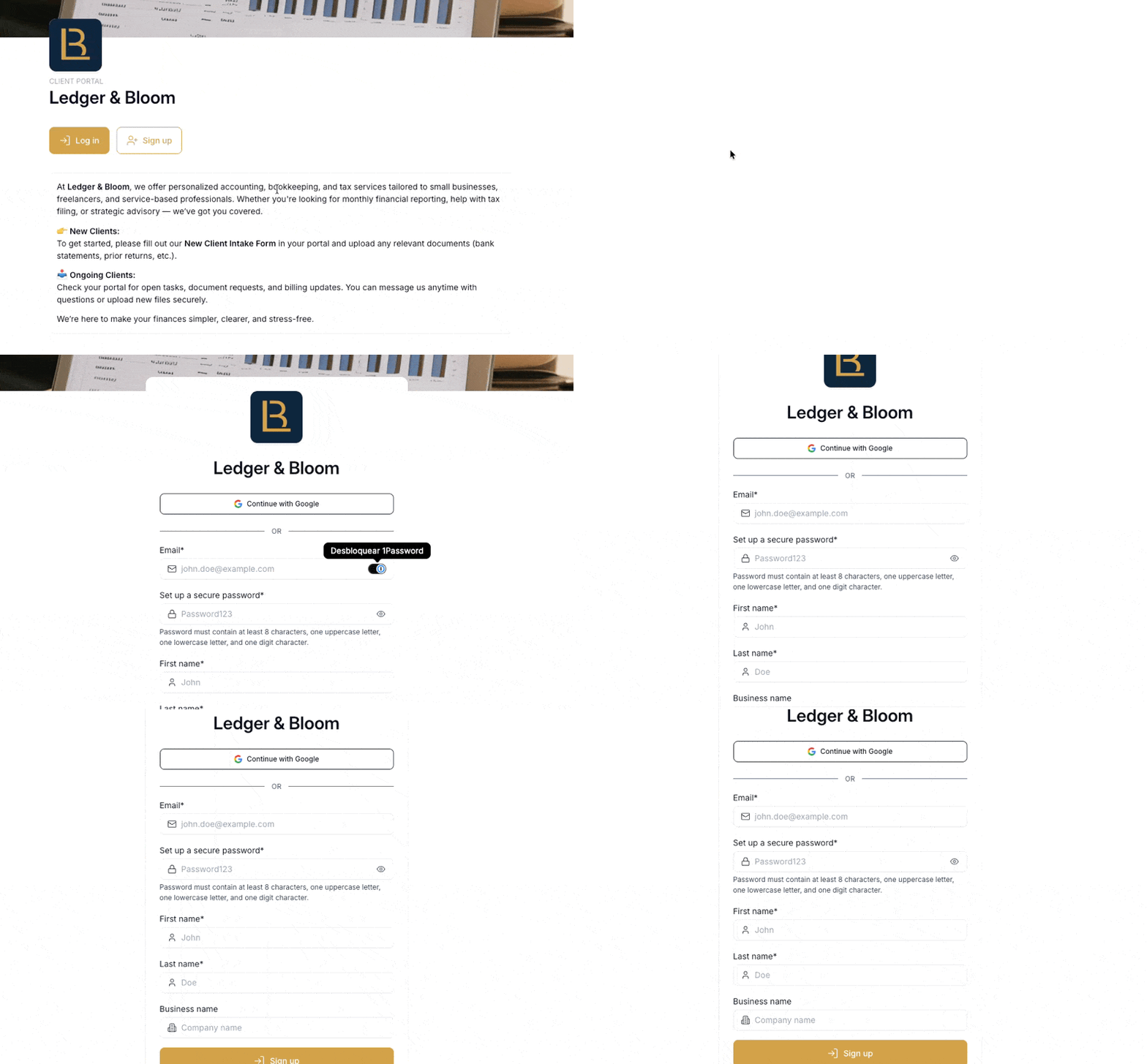
Hubflo gives you several ways to control how clients access your portal. You can mix and match options to match your security preferences and your clients' expectations. All of these settings live under Settings > Authentication & SSO.
Email and password
The default login method. Clients sign in with the email address and password they set when accepting their invite. This is always available as a fallback regardless of what else you enable.
Google sign-in
When enabled, clients can log in using their Google account instead of a password. Useful if your clients are already working in Google Workspace and prefer not to manage another set of credentials.
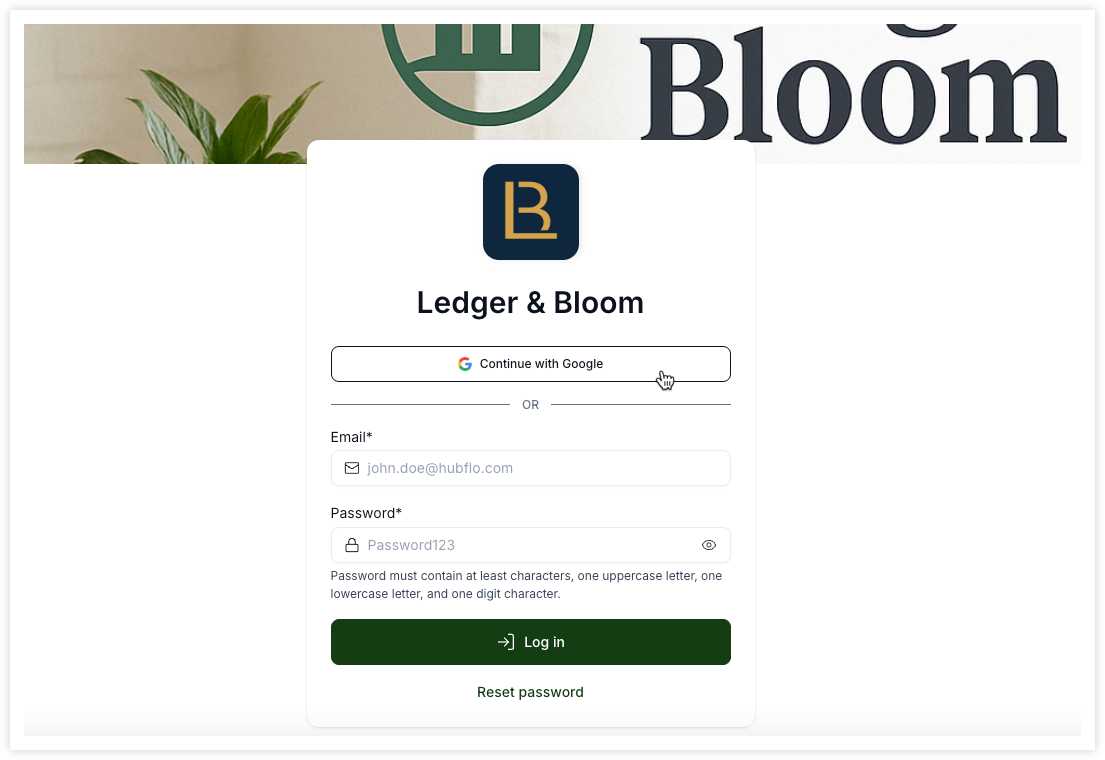
A couple of things worth knowing:
Existing password-based accounts are automatically unified when a client first signs in with Google so that they don't end up with a duplicate account.
Clients who prefer to use their password can still do so even when this option is on.
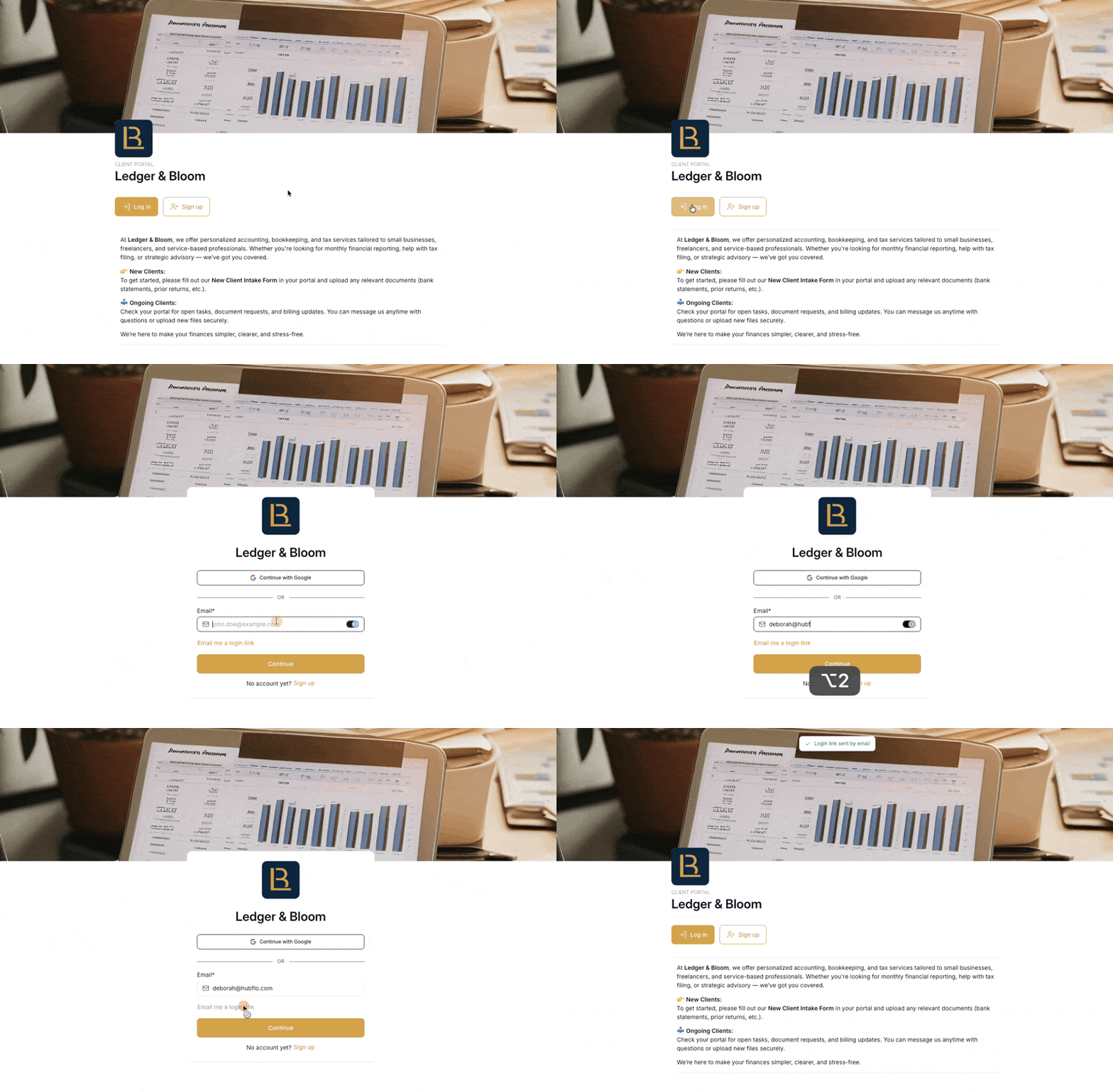
Login link (magic link)
When enabled, clients receive a one-time secure link to their inbox each time they want to log in. The link expires after use, so each login generates a fresh one.
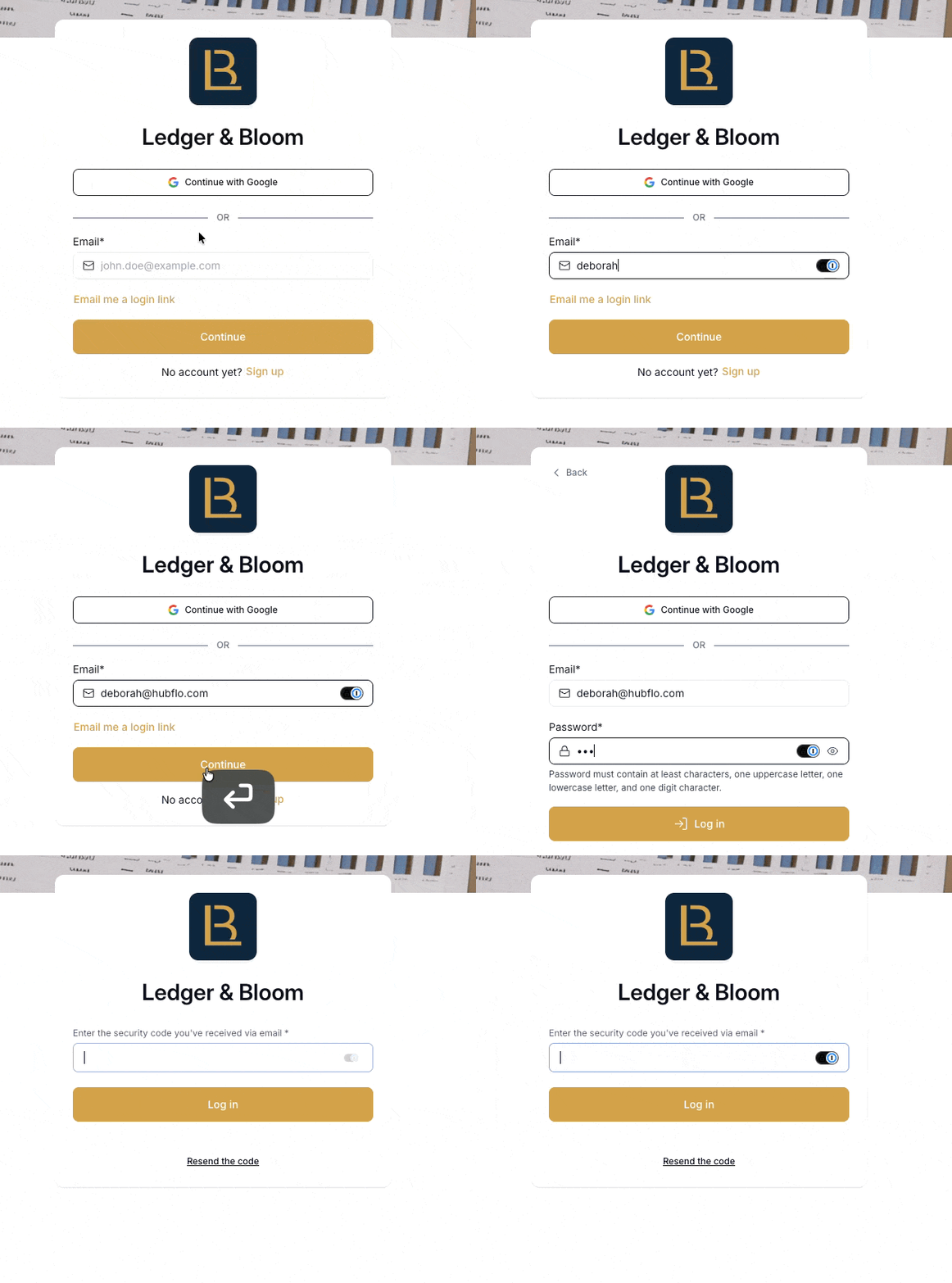
Two-factor authentication (2FA)
When enabled, clients are required to verify their identity via email each time they log in, in addition to their usual login method. This adds an extra layer of security across all authentication methods.
Learn more Two-factor authentication (2FA) →
Self sign-up
When enabled, clients can create their own account directly from your portal without needing an invitation from you first. A Sign Up button appears on your portal page automatically.
This works with both Google sign-in and login link, so clients who sign up on their own can still use whichever authentication method you have enabled.