
When a client fills out a form, Hubflo can save their answers directly to their contact or company record in your Directory.
Before you start
Make sure the fields you want to capture exist in your Directory. You can map form questions to:
Native fields (built into Hubflo)
Name, Email, Address, Phone, Company Website
Custom fields
Any custom fields you've created on Contact or Company records (text and date types only, for now)
Learn how to create custom fields →
Note: If you plan to capture Company field data, the contact submitting the form must already be linked to that company in Hubflo. If they're not linked, the company record won't be updated.
Setting up a Hubflo field
When building your form, for any question where you want the answer saved to a contact or company record:
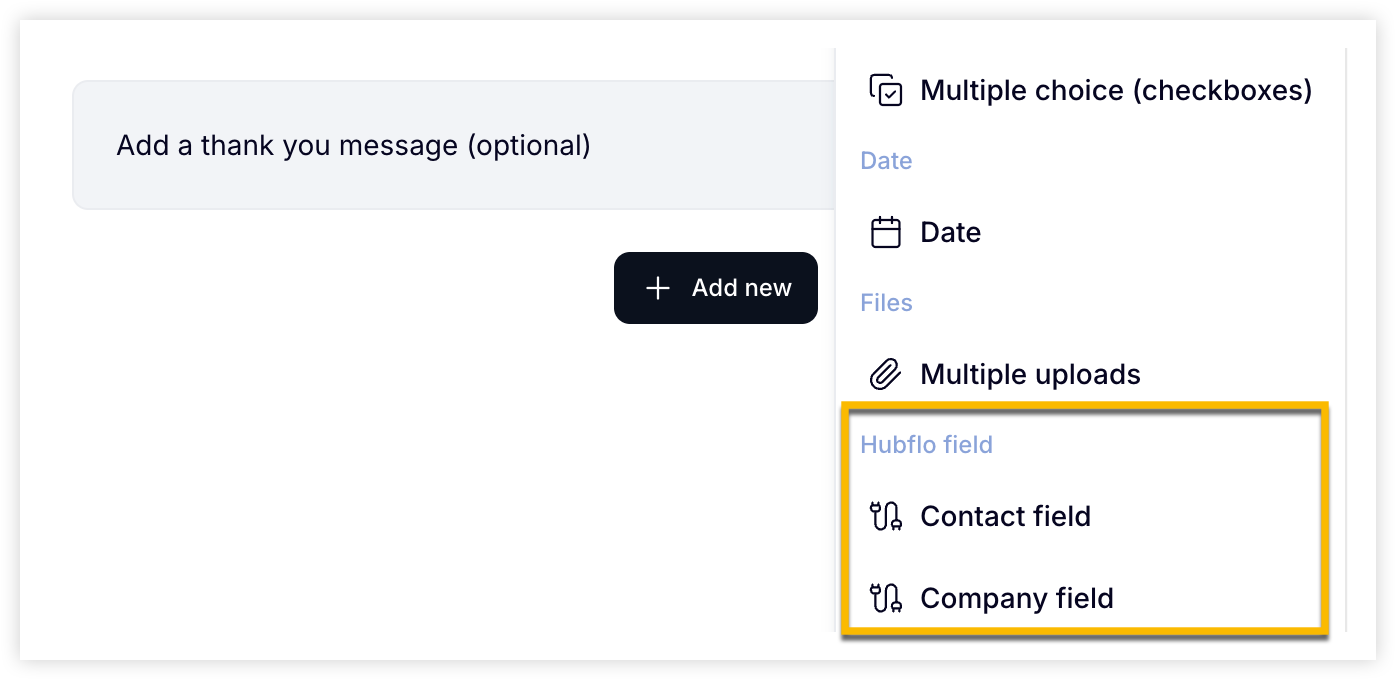
Click Add new
Under Hubflo Field, choose Contact or Company depending on where the data should be saved
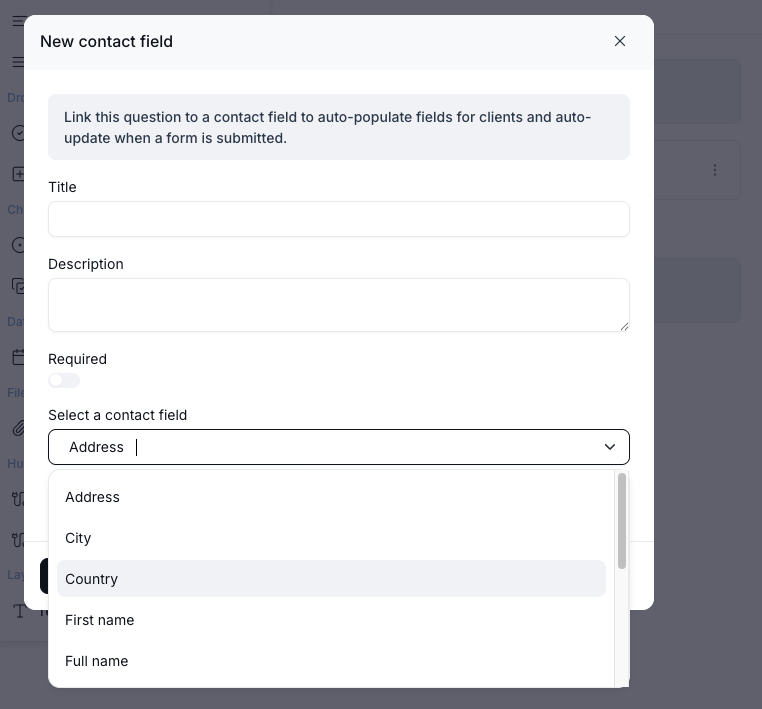
Pick the specific field from the dropdown
Give the question a label your client will understand
Repeat for each field you want to capture.
What your client sees
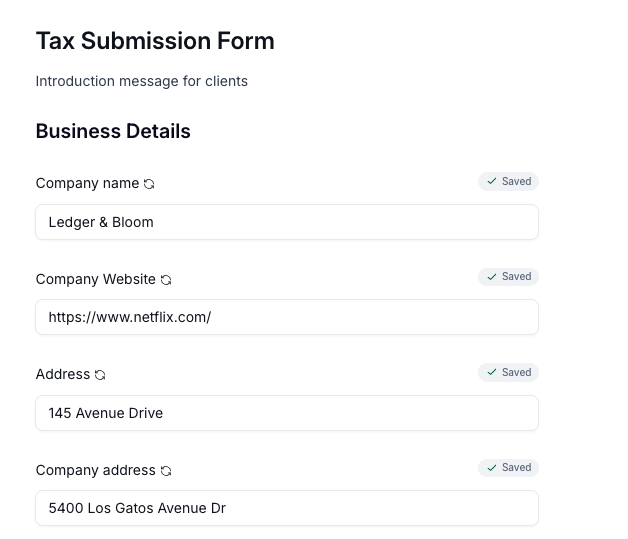
If accessing the form through the Client Portal:
Their existing information pre-fills automatically
They can update any values before submitting
Their record in the Directory updates instantly on submission
If accessing via a public link:
Fields are blank and clients fill them in from scratch
If the email they enter matches an existing contact, their record will be updated on submission