Flows let you guide clients through a structured, step-by-step process. You set up the workflow once in a template, and each client receives a unique link to complete their steps. You don’t have to send requests manually or constantly follow up—Hubflo handles the back-and-forth for you.
A template is the blueprint you build once and reuse for every client who goes through the same process.
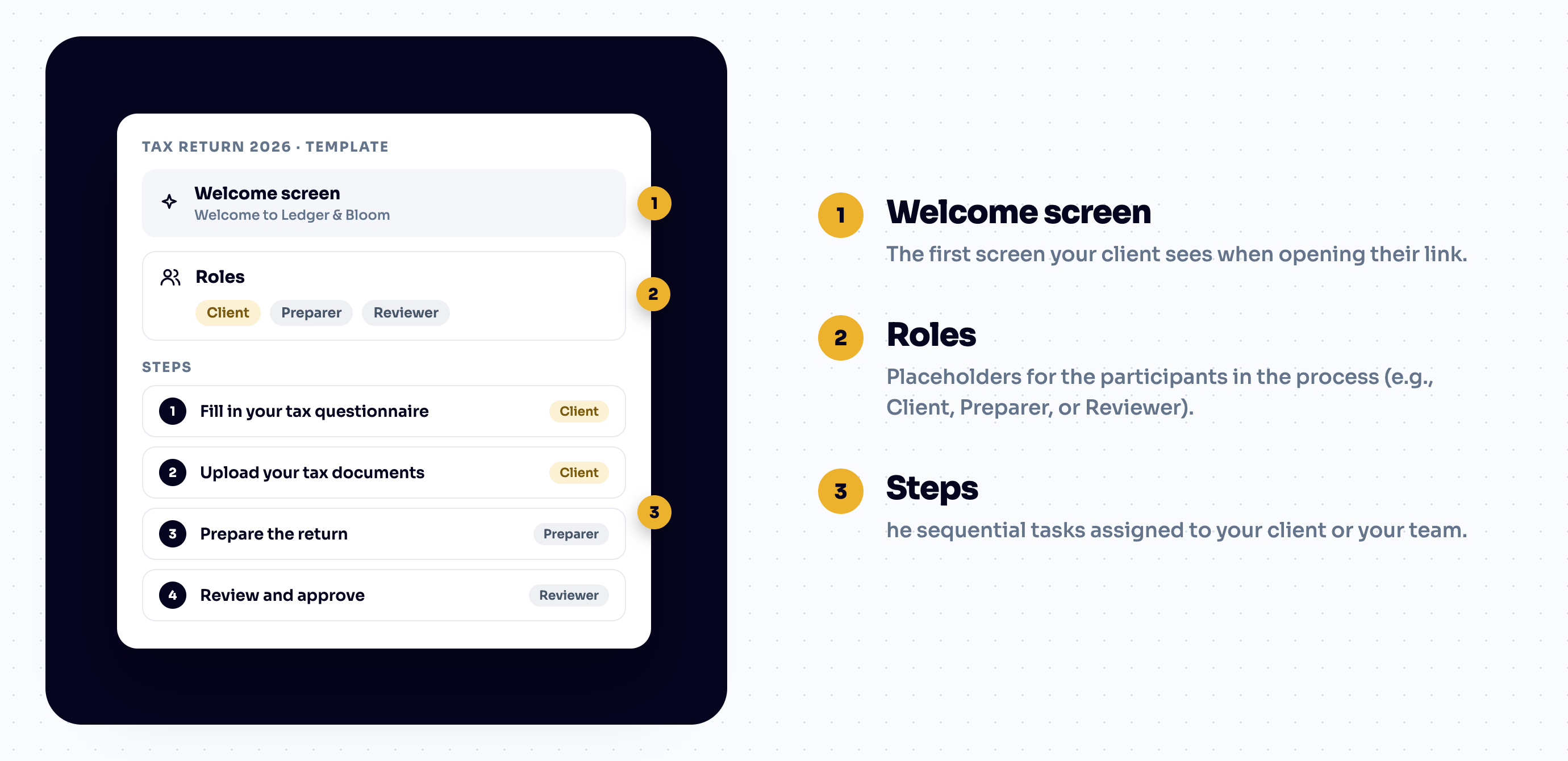
Every template is made of three core elements:
Welcome Screen: The first screen your client sees when opening their link. It sets the tone, provides instructions, and shows how many steps are waiting for them.
Roles: Placeholders for the participants in the process (e.g., Client, Preparer, or Reviewer). You assign specific people to these roles when you launch a Flow.
Steps: The sequential tasks assigned to your client or your team. Each step contains a single action, such as a form, a file upload request, a contract to sign, or a checklist item.
Standalone forms, file uploads, and contracts are great for one-off actions, but a template lets you package them into a seamless sequence:
Form Step: Client answers intake questions.
File Request Step: Client uploads supporting documents.
Task Step: Your team reviews and approves.
Contract Step: Client signs the final agreement.
Instead of sending multiple emails, you build the sequence once in a template. When launched, Hubflo automatically moves the client from one step to the next in their portal.
While a Template is the blueprint, a Flow is the live, active instance of that template created for a specific client.
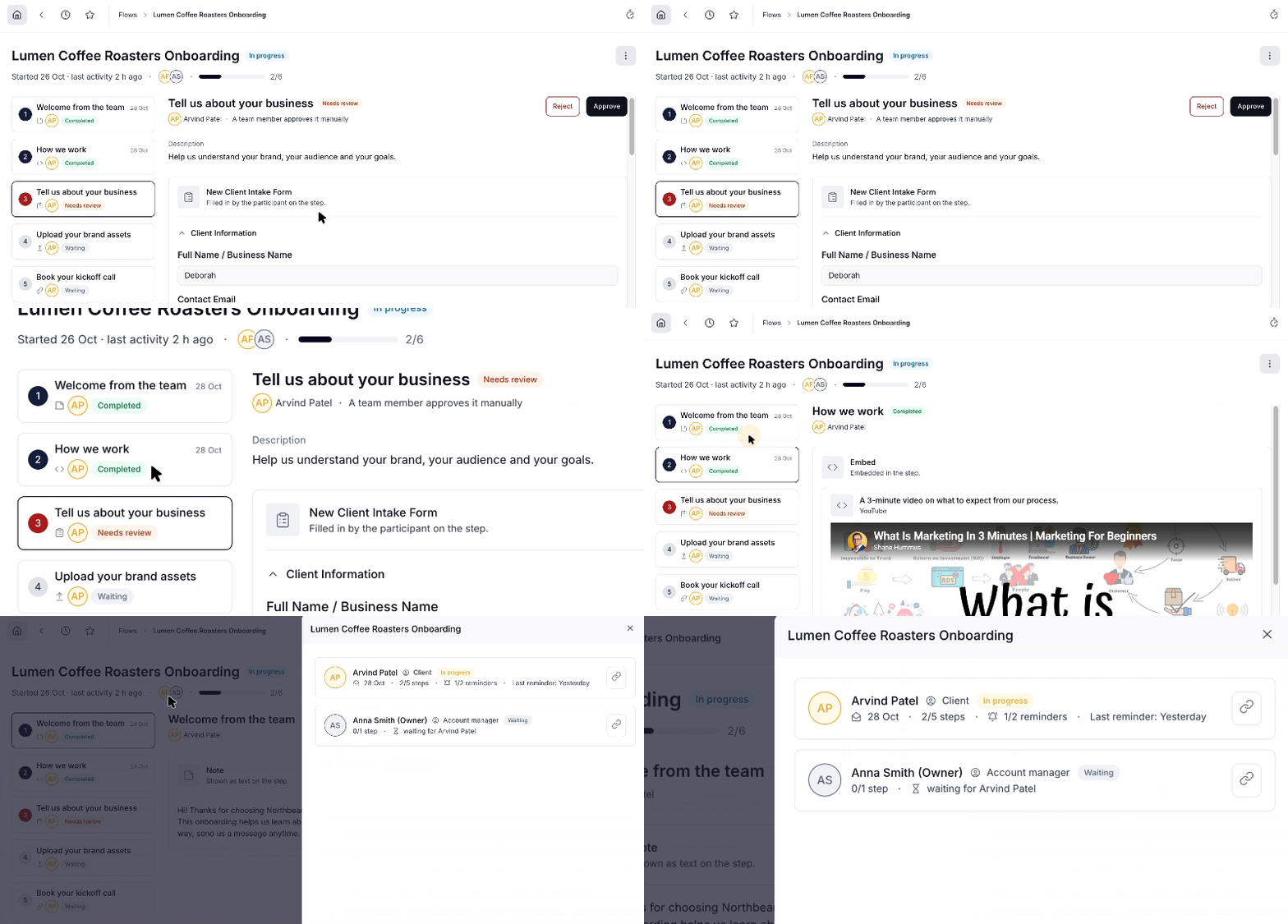
Launching a Flow:
Assign Roles: Choose which specific client contacts and team members fill each role placeholder.
Notify Participants: Everyone assigned receives an email notification with their personal access link (or accesses it directly from the portal's Flows tab).
Track Progress: The Flow automatically tracks completion status, progress bars, and submitted responses in real time.

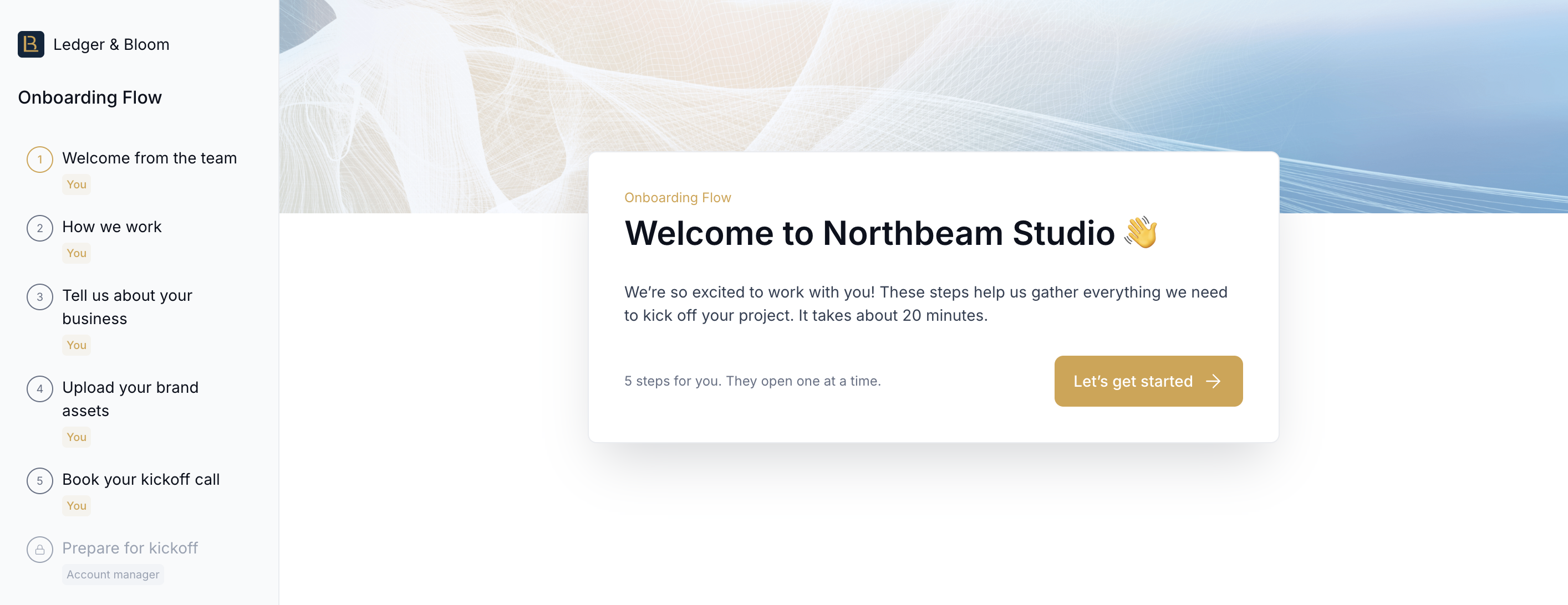
No password required: Clients access their Flow directly via a secure link sent to their email or directly from the portal's Flows tab.
Clear progress tracking: Steps unlock one at a time. Clients always see their current progress bar so they know exactly how far along they are.
Automated handoffs: When a step requires action from your team (like reviewing an uploaded file), the client sees a "Waiting for other parties" status. Hubflo automatically emails them the moment their next step is ready.
Check out Create a Flow Template to set up your first process blueprint.