
Notifications
Hubflo automatically notifies your team when a form is submitted:
The person who sent the form is notified
The contact owner is also notified
Form responses cannot be downloaded or printed. This limitation ensures that all form submissions are processed and stored securely within the Hubflo platform.
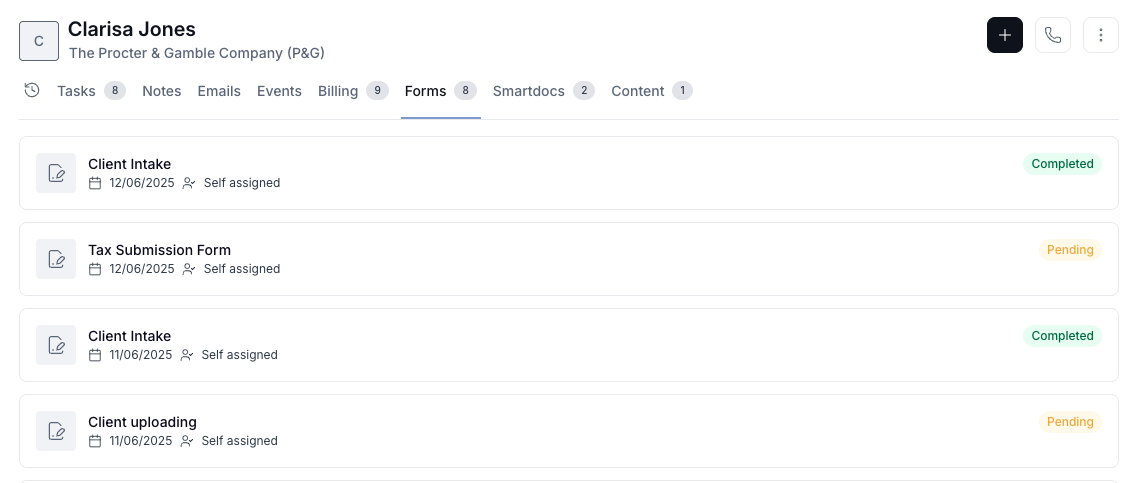
Viewing a client's form history
You can view all forms associated with a specific client directly from their profile.
Go to Directory > Contacts, select the contact, and open the Forms tab.
Exporting responses
From a form, click on ⚙ (Settings) then Export, pick an export type:
Export answers (CSV) to download a spreadsheet of one row per submission, one column per question (with respondent + submission date).
Export files (ZIP) to download every file attached in the answers, bundled into one.
Files are organized in folders by Contact name - submission date › Question title › original file name, so it’s instantly clear who sent what and for which question.

Learn how to set up our Zapier integration →
Copying answers
To copy the answers from a single submission, go to Forms.
Open the Answers tab
Click Show details on the submission you want.
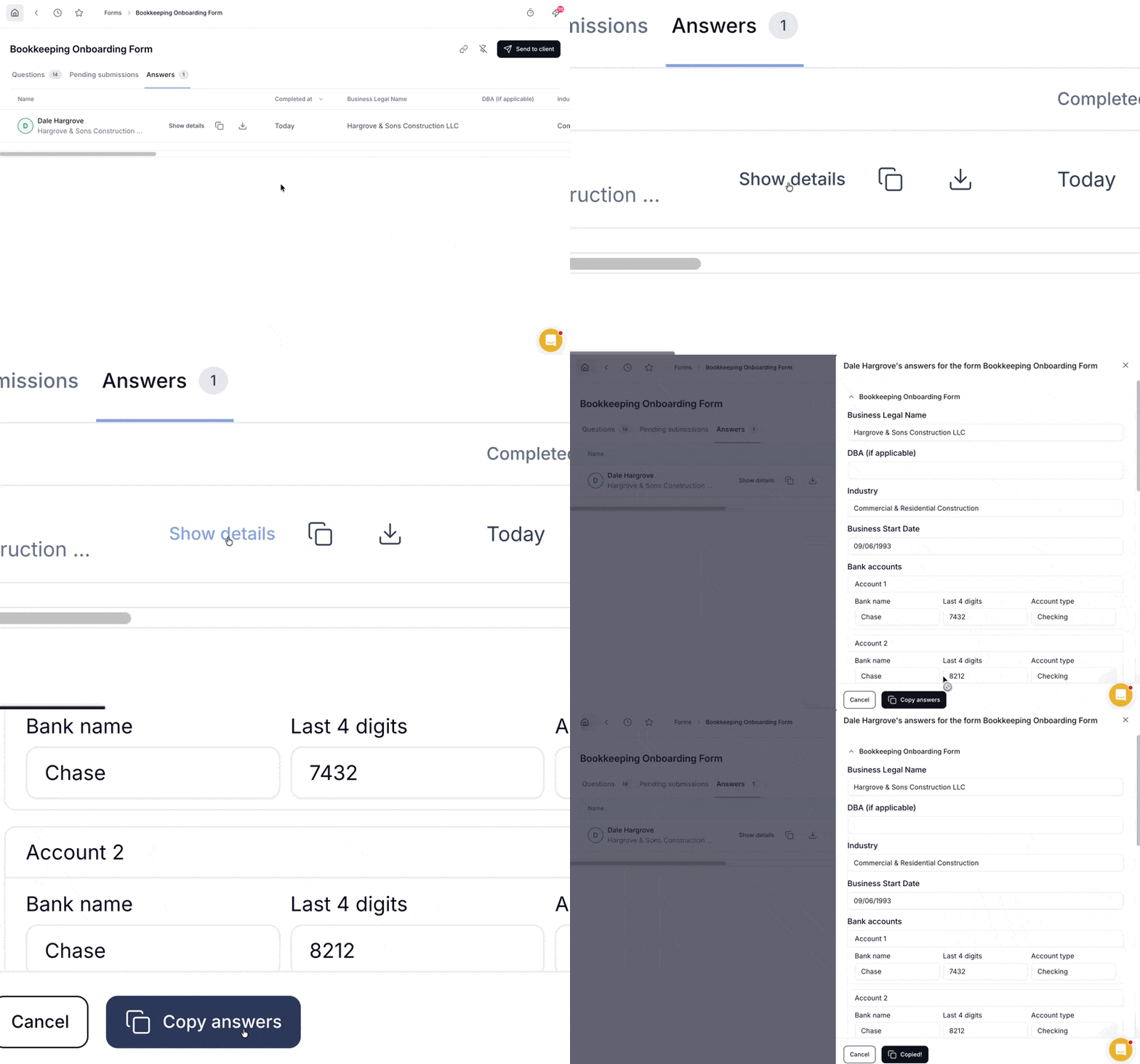
3. In the sidebar, click Copy answers.
This copies all responses as tab-separated values you can paste directly into Excel or Google Sheets.