A new automation is off until you activate it. That gives you time to check it safely and run tests before it starts running for your clients.
Studio runs a simulation of every step. Nothing is created or sent, so you can test as often as you like.
Go to Studio > Automations.
Find your automation and click to open the builder.
Click Test.

Check the result of each step to make sure the automation does what you expect. If something's wrong, fix the step, or go back to your conversation with Studio’s AI assistant and ask it to make the change.
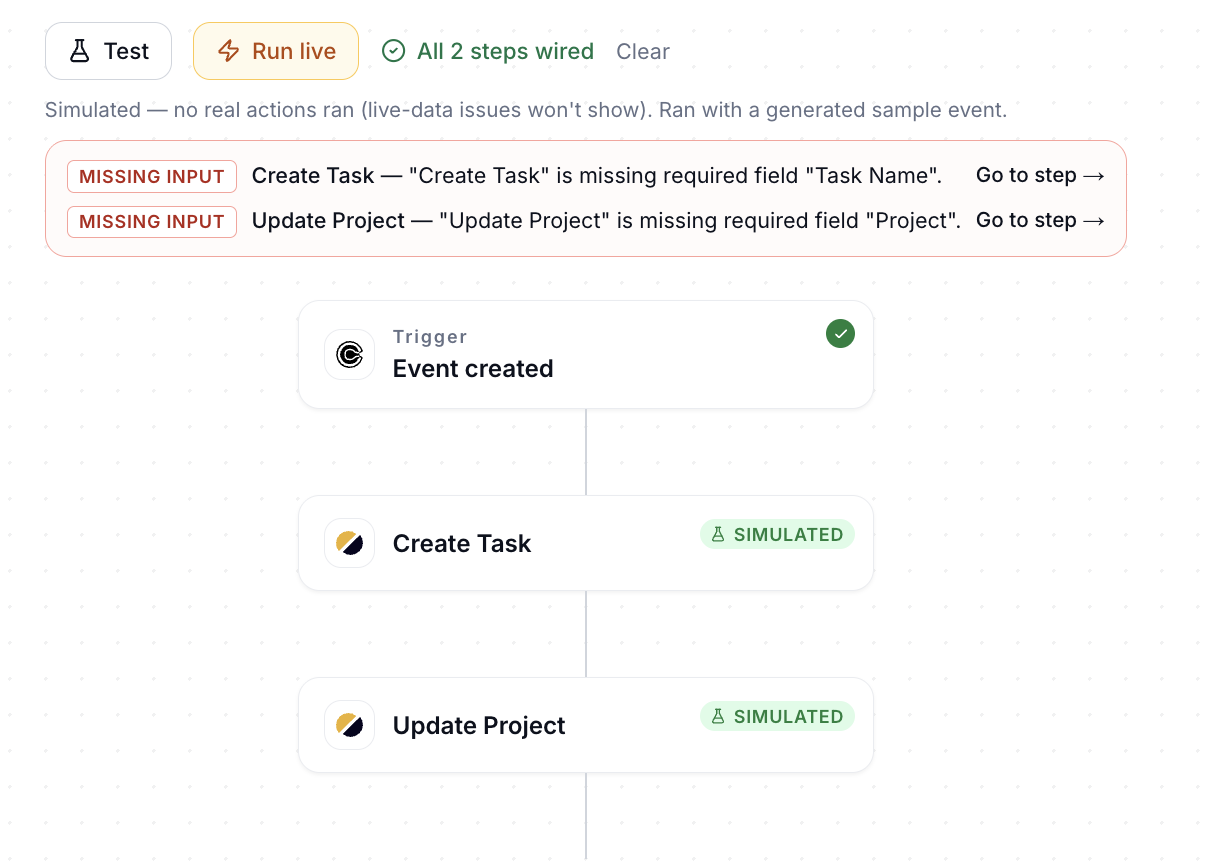
To see the automation run for real once, click Run live. A Send this test to… dialog opens so you can choose where the test goes before it runs.

When you're happy with the results:
Switch on the toggle at the top right of the editor.
Click Activate automation to confirm.
The automation now runs on its own every time its trigger happens.
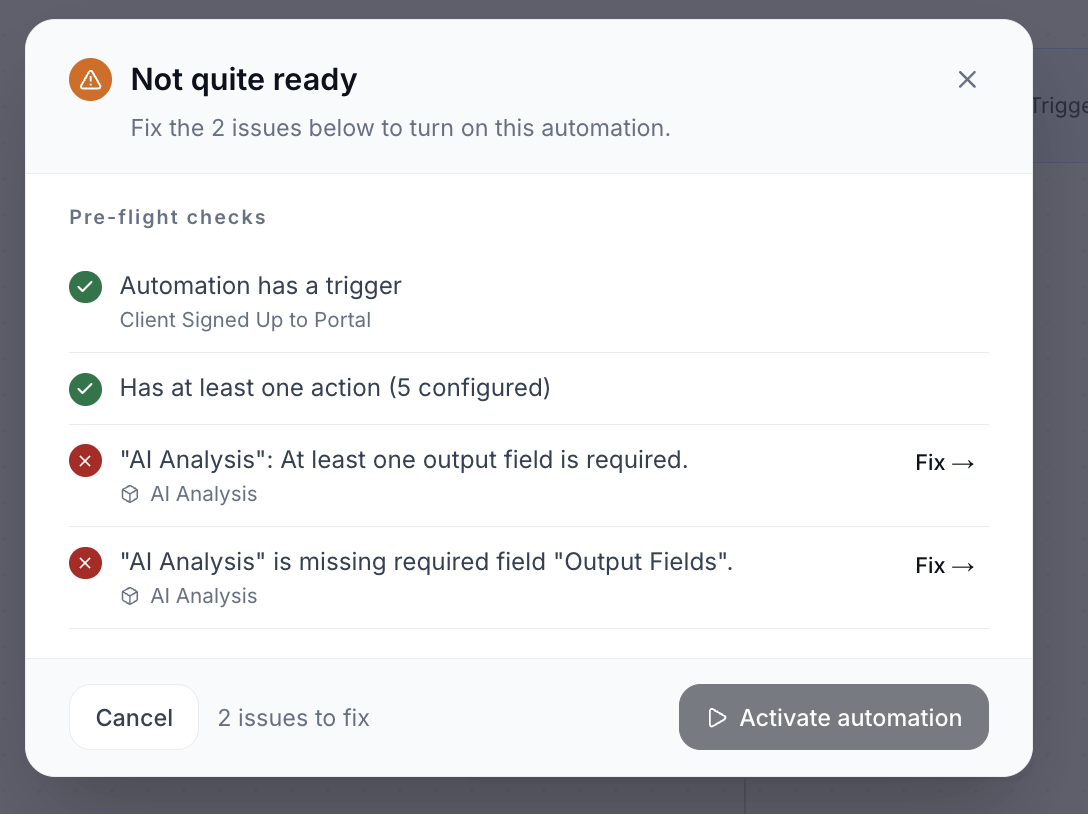
If the automation is missing something, a Not quite ready list appears instead. Click Fix → next to each item to go straight to it, then try again.
To pause an automation, switch the toggle off. A paused automation doesn't run until you activate it again.
Changes to an active automation save automatically and apply to its next runs. If a change leaves the automation with an issue, Studio pauses it and shows Automation paused with what to fix. Fix the issues, then activate it again.
💬 Still have questions? Start a chat with us or email [email protected]. We'll be happy to help.