This feature is available to owners and regular members. Limited members, contractors, and accountants cannot create invoices.
Only expenses marked as Billable and linked to a project will appear in the Bill back list. The easiest way to ensure this is to create the expense directly from the project you're working on and it will be linked automatically.
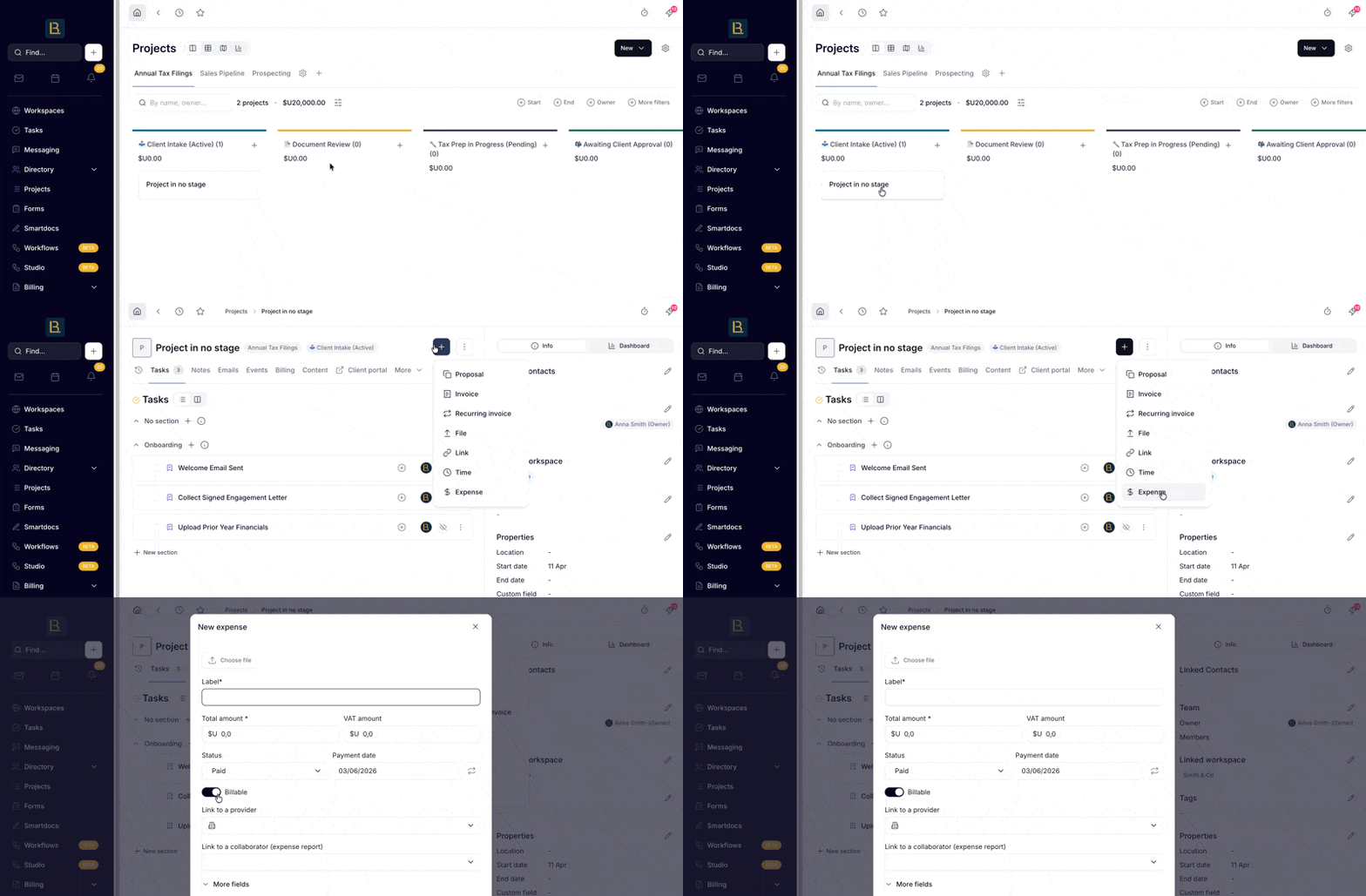
To create an expense from a project:
Open the project
Click + → Expense
Fill in the details and make sure Billable is toggled on
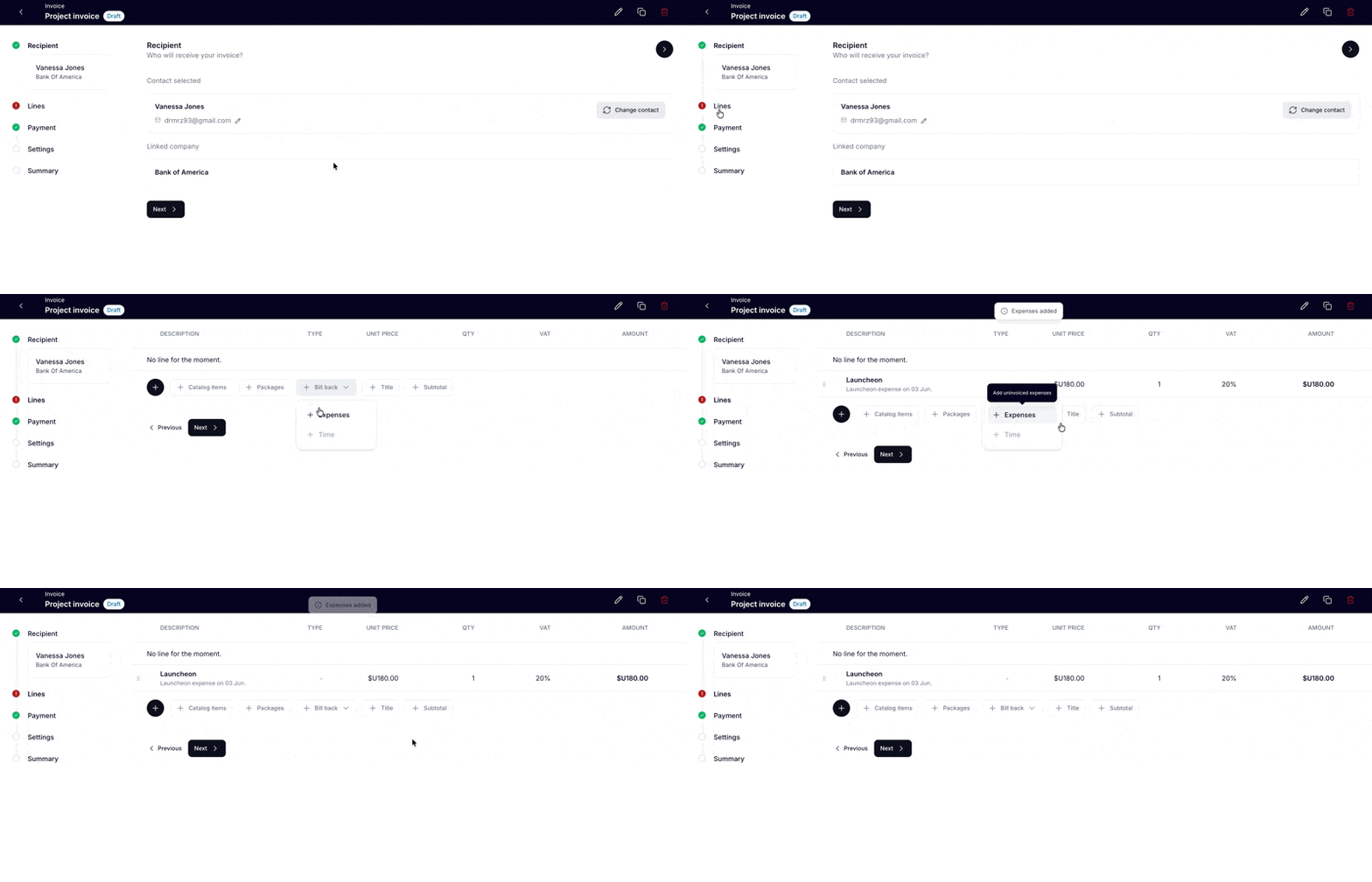
To bill it back on an invoice:
Open or create an invoice for that same project
In the line items section, click Bill back → Expenses
Select the expenses you want to include
They'll be added as line items automatically