
Workspace access is determined by each team member's role in the account.
Access by role
Owners and regular members have access to all workspaces in the account by default.
Limited members can only access workspaces for the contacts, companies, or projects they are listed as an owner of. If they haven't been assigned ownership of anything, they won't see those workspaces at all.
Contractors and accountants do not have access to workspaces.
Granting workspace access to a limited member
To give a limited member access to a workspace, you need to add them as an owner of the relevant contact, company, or project.
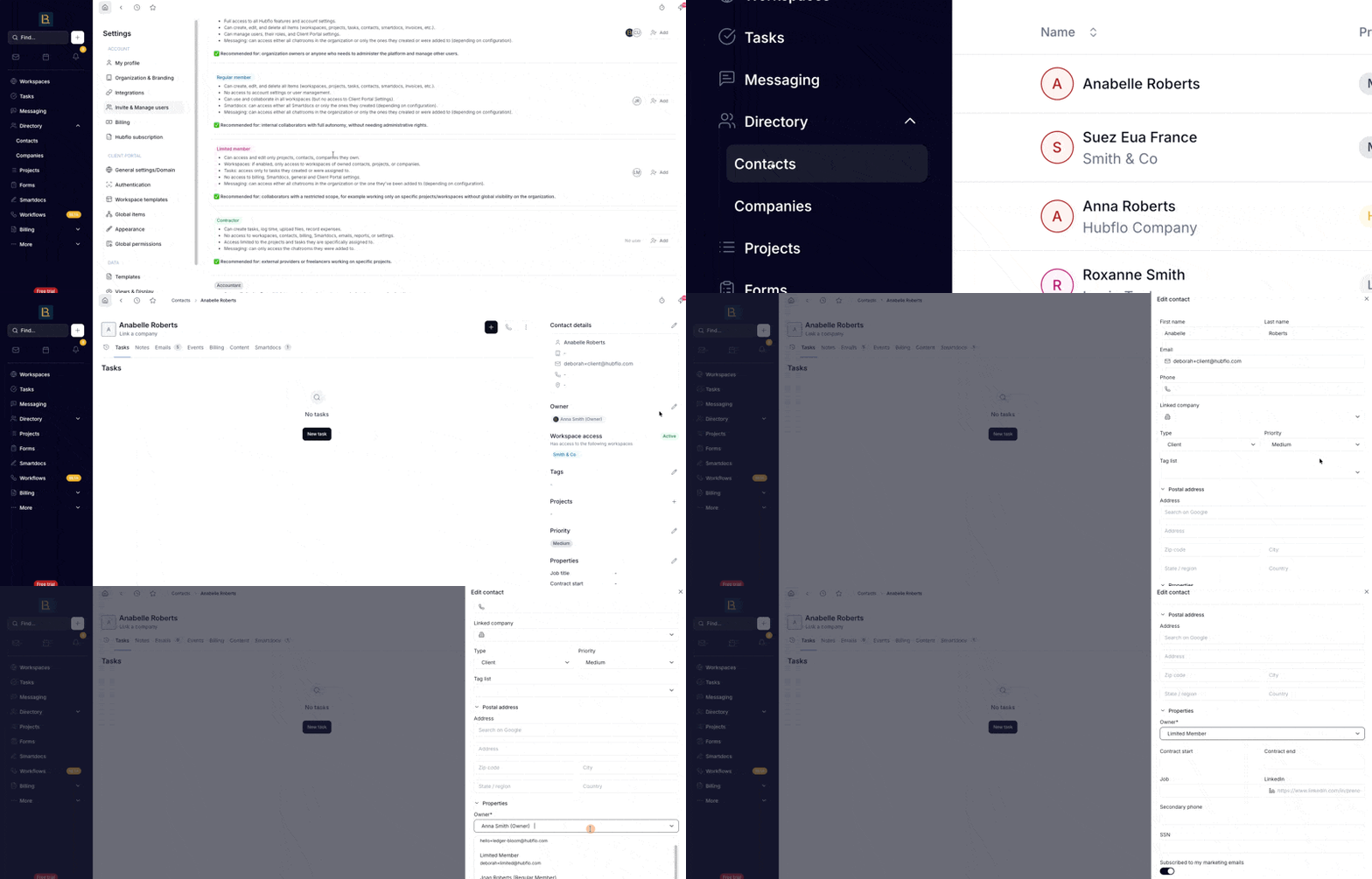
For contacts or companies
Go to the contact or company record
Open the Owners section and add the team member.
For projects
Go to Projects, select the project you want to share access to
Click Owners in the right-hand panel. Add the limited member from there.
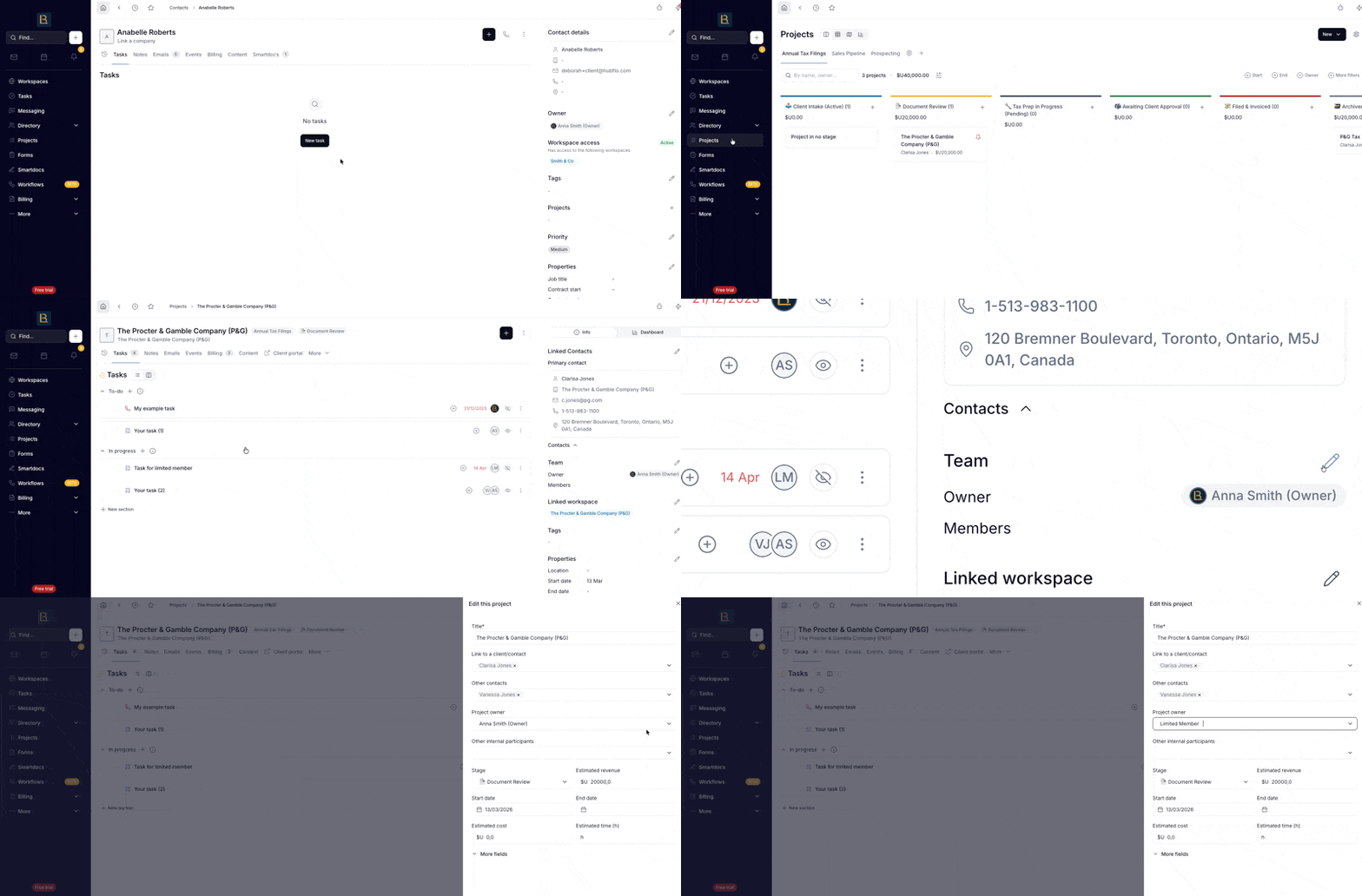
Once they're listed as an owner, they'll be able to access that workspace automatically.