
Custom fields are flexible data points that you define to fit your business. Use them to standardize how you collect and display key information and to automatically populate that data from forms directly into your Hubflo Directory.
Create a custom field
Go to ⚙️ Settings > Custom fields
Choose the category:
Contacts
Companies
Projects
Tasks
Click + New Custom Field
Fill in:
Field name (e.g. "Preferred Language")
Description
Field type: Text, Integer, Decimal, Date, or List (dropdown-style, e.g. Difficulty: Easy / Medium / Hard)
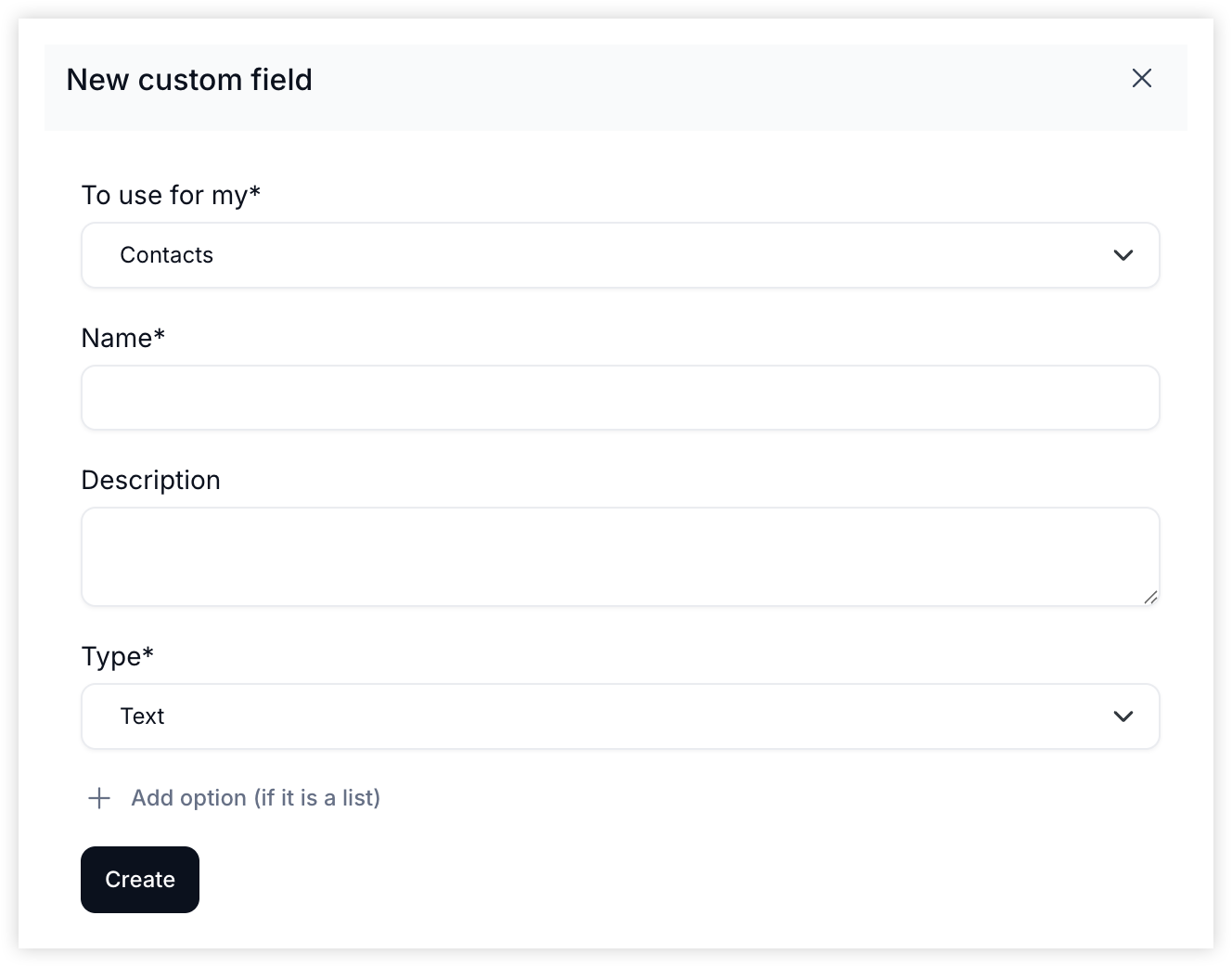
Where to find and add custom field values
Once created, your custom fields appear on the right sidebar in the Properties section of any company, contact, project, or task record.
Add values to custom fields
Navigate to a contact, project, or task
Click the pencil icon under Properties
Fill in your new custom fields
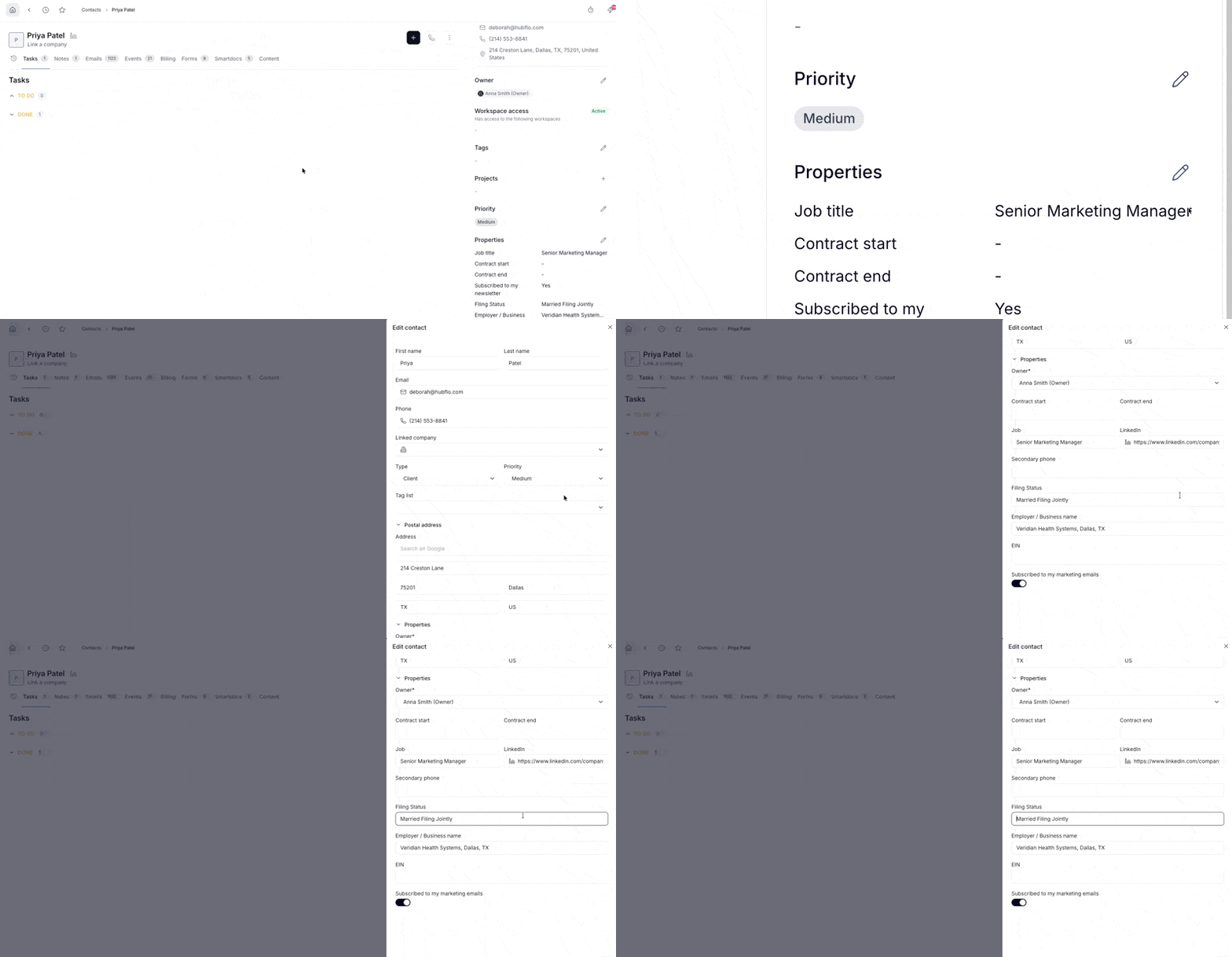
Sync form answers to the Hubflo Directory
When a client fills out a form, Hubflo can save their answers directly to their contact or company record. Learn how to sync forms with your Directory →
The contact submitting the form must already be linked to a company in Hubflo. If they're not, the company record won't be updated.
Importing with custom fields
You can import Contacts, Companies, Projects, and Tasks with custom fields included. Hubflo provides a ready-made template for each that you can download and fill in.
A few things to keep in mind:
Column headers must match exactly the custom field name in Hubflo
Values must match exactly too especially for dropdown fields: if the value in your file doesn't match an existing option in Hubflo, it won't be created automatically and the field will be left blank