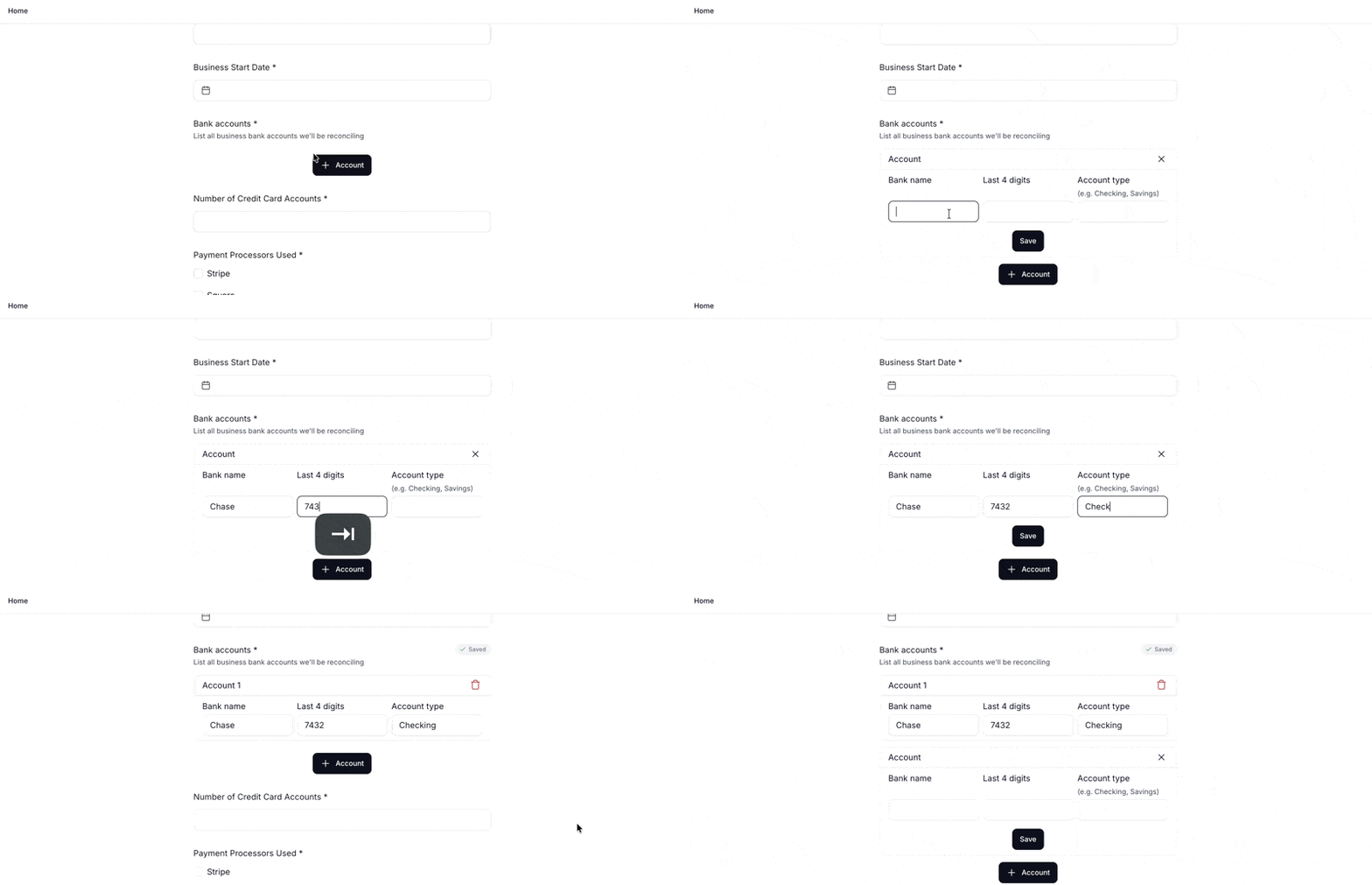
Multiple entries lets clients add as many repeatable entries as needed, each with the same sub-fields. Use it whenever a form needs a structured list such as accounts, business partners, properties, and more.
Sub-fields can be short text, number, or date.
Setting up a multiple entries question
In the form builder, click Add new and select Multiple entries
Enter a Title (this is the question as your client will see it)
Add a Description (optional)
Toggle Required on if at least one complete entry must be submitted before the form can be sent
Enter an Entry label. It can be a singular noun like
AccountorFounder. This becomes the card header and the add button your client sees (e.g.Account 1,Account 2, and+ Account)Click Create
On the question, click the + icon to add sub-fields. Each sub-field can be Short text, Number, or Date.
And that's it! Add as many as you need for one entry.
Current limitations
Once an entry is saved, it can't be edited, only removed.
Multiple entries questions can't be used as condition triggers.
Not available via API in this release
What clients see
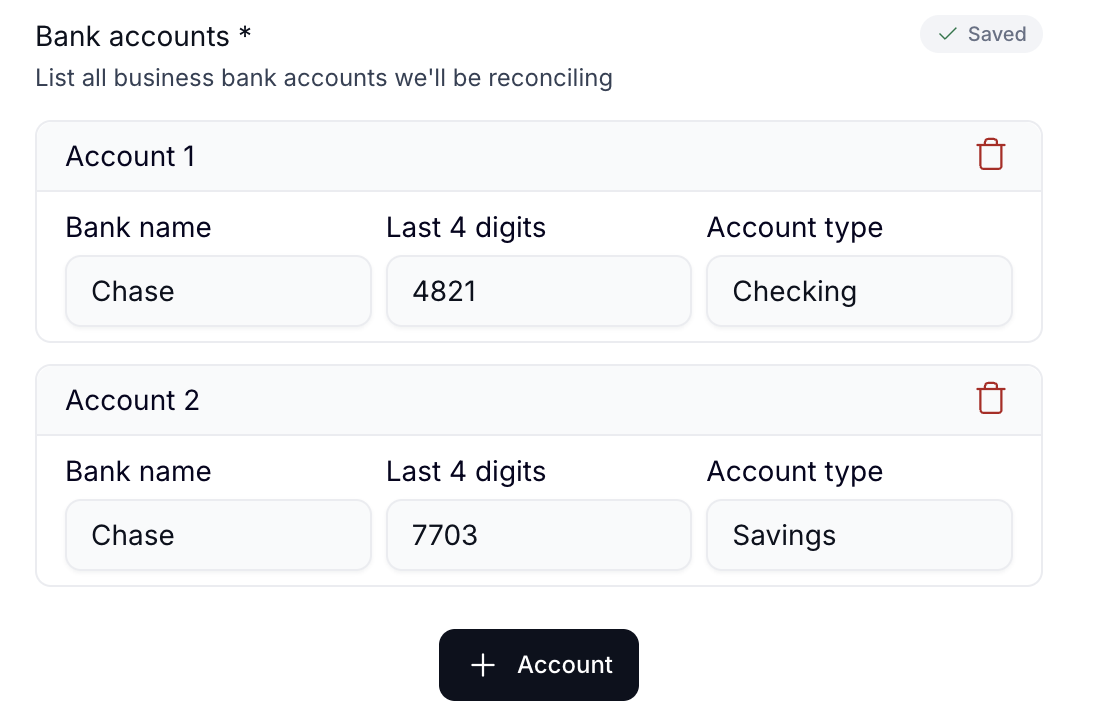
The form starts with one card. Clients click + [label] to add more. Each card has an auto-numbered header and a remove icon, removing a card renumbers the rest automatically.